
Everything your business runs on
Sales, invoices, stock, buying, accounts and 28 reports. Offline.
A fast till for busy counters
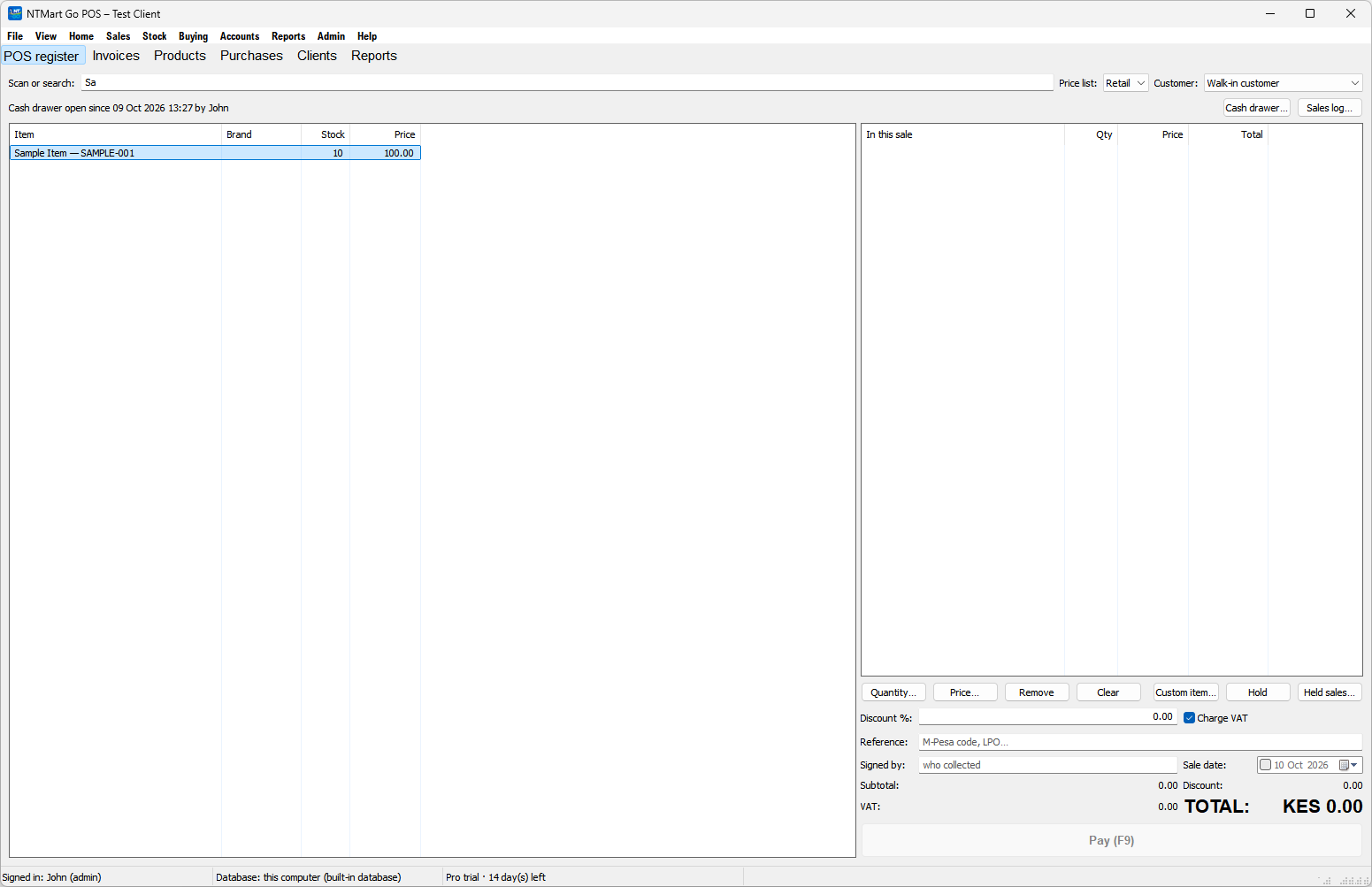
Scan or search, and it's on the sale.
- Price lists for retail, wholesale or special customers
- Discounts, with VAT worked out line by line
- Split payments
- Hold a sale and serve the next customer
- Sell loose quantities, such as half a kilo
- Loyalty points for regular customers
- Cash drawer sessions and a sales log with voids
Sell on account, and know who owes you
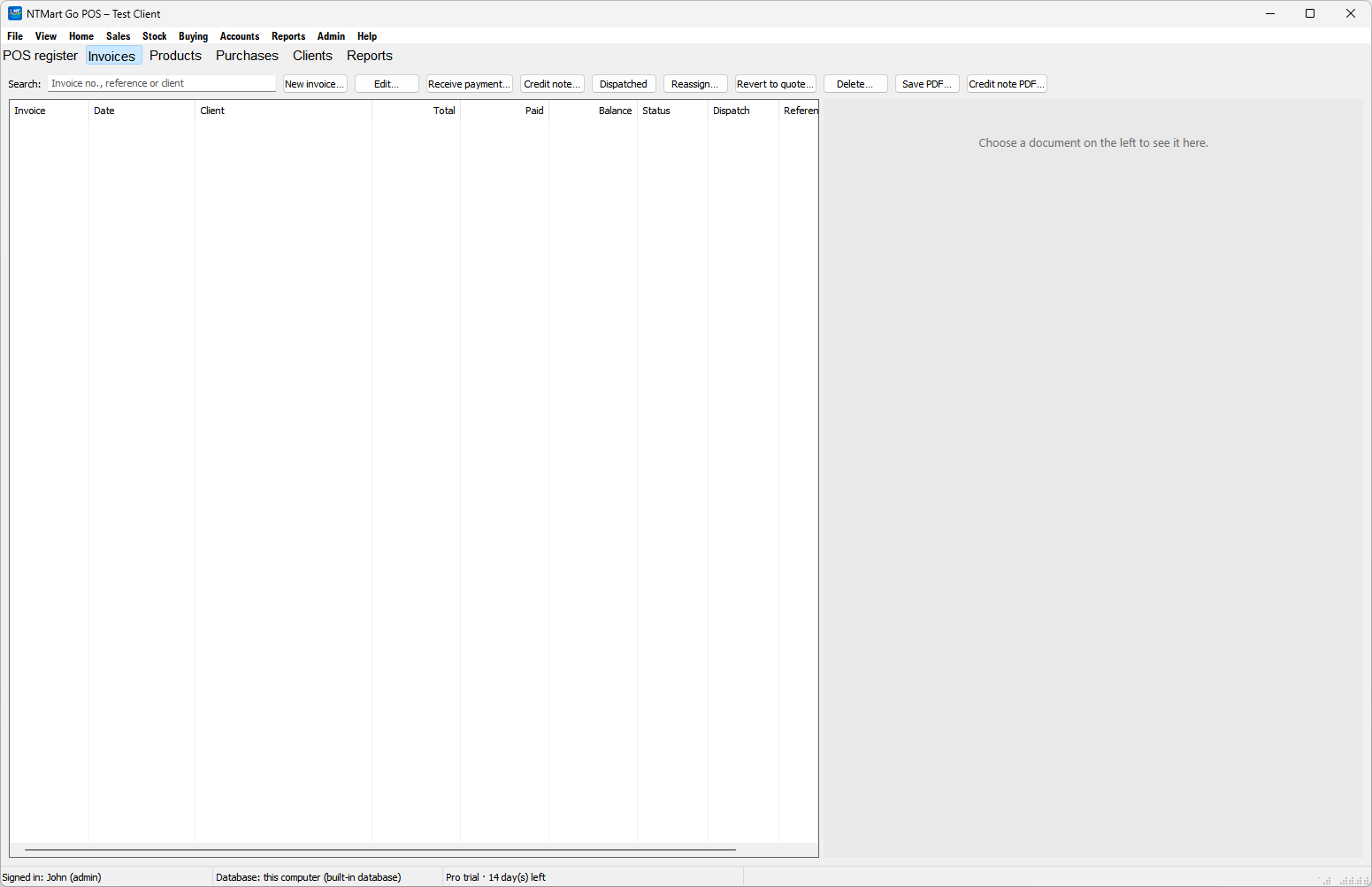
Quotes, invoices and client accounts, with the till's products and prices.
- Quotes that become invoices
- Credit notes and dispatch
- Client accounts with balances and statements
- Payments received, matched to invoices, including cheques
- Aged customer balances and a due list
Accurate stock
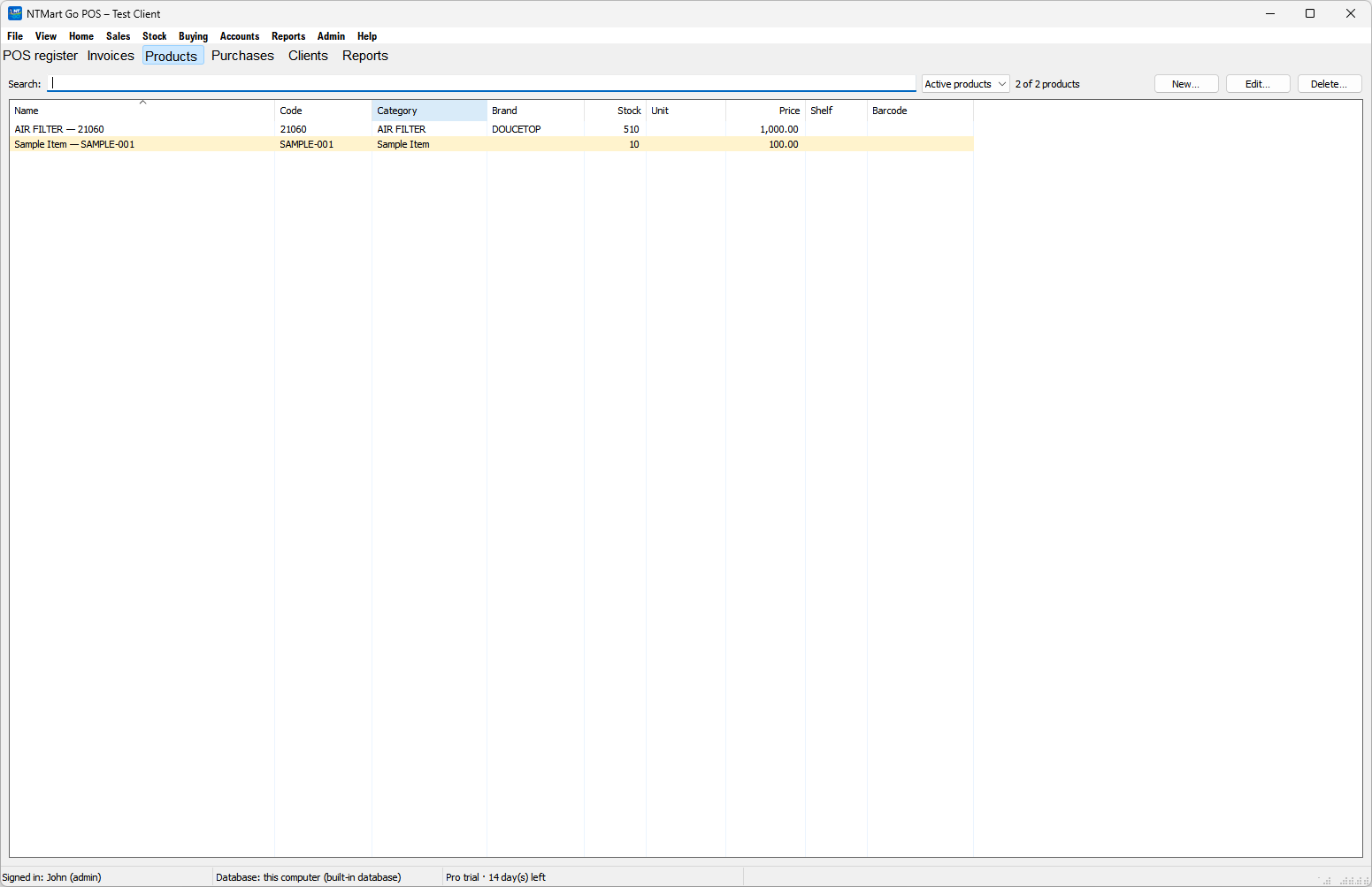
Every change, with a reason.
- Products with code, barcode, brand, category and shelf
- Stock adjustments with reasons, and stock takes
- Several locations or stores, with transfers between them
- Stock groups and price lists
- Expiry report and item history
Restock without the paperwork
Stock and accounts update themselves.
- Purchases, paid now or on credit
- Purchase orders (LPOs) that convert into purchases
- Purchase returns that free up supplier credit
- Suppliers with statements, payments and cheques
Real double-entry accounts
Books that stay up to date on their own.
- Chart of accounts and journal, with manual entries
- Expenses and incomes
- Bank reconciliation
- VAT withholding
- Staff commission
- Profit and loss, balance sheet and trial balance
28 reports
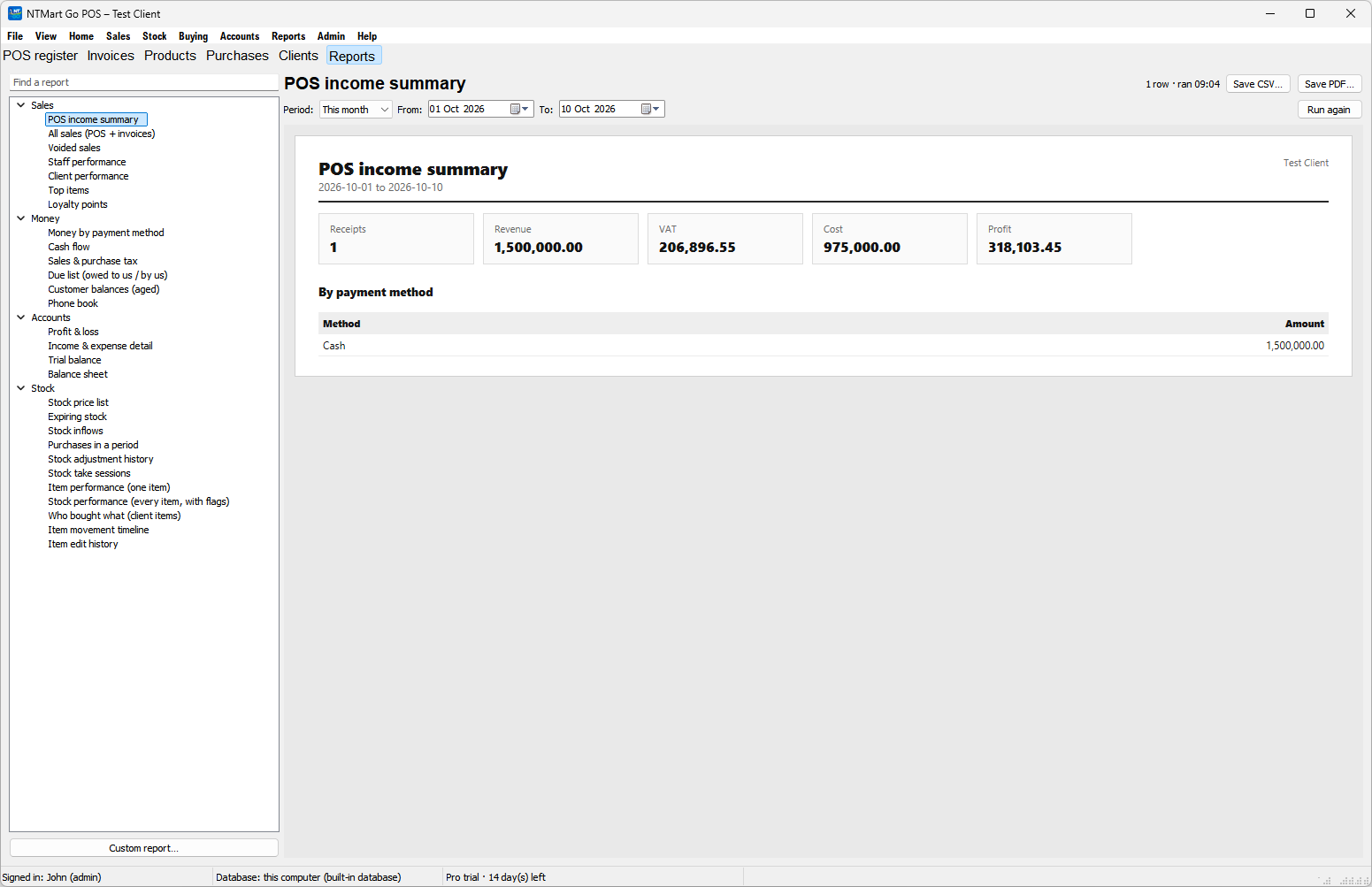
Pick a period. Export to Excel.
Sales
- POS income summary
- All sales
- Voided sales
- Staff performance
- Client performance
- Top items
- Loyalty points
Money
- Money by payment method
- Cash flow
- Sales and purchase tax
- Due list
- Aged customer balances
- Phone book
Accounts
- Profit and loss
- Income and expense detail
- Trial balance
- Balance sheet
Stock
- Stock price list
- Expiring stock
- Stock inflows
- Purchases in a period
- Adjustment history
- Stock take sessions
- Warehouse stock
- Transfer history
- Item performance
- Item movement timeline
- Item edit history
Tools for your kind of business
Use what your trade needs.
Lay-bys
Customers pay in instalments and collect when it's paid.
Job cards
Track repair and service jobs, then invoice them.
Serial numbers
Record serials and handle warranty claims.
Stock loans
Lend stock out and track what comes back.
Recipes
Make products from ingredients and track production.
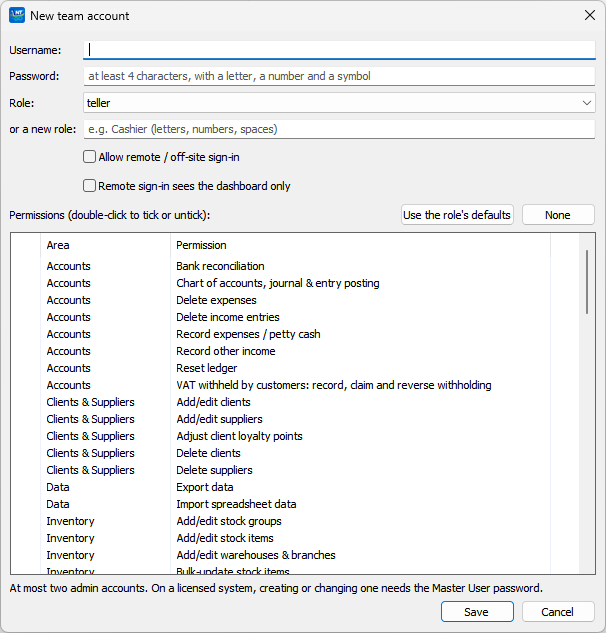
Everyone signs in as themselves
Each person gets their own login and permissions.
- Team accounts with a checklist of permissions
- Activity log of who did what, and when
- A dashboard with the day's numbers when you sign in
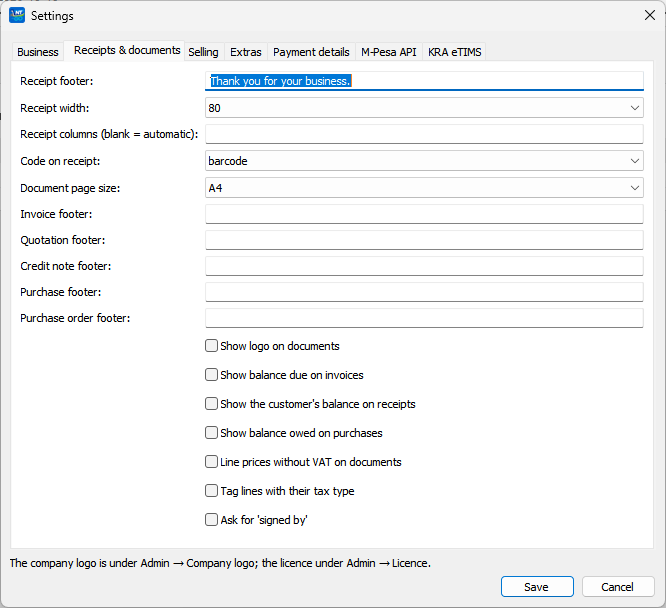
Ready for how Kenya does business
On the Complete plan.
- M-Pesa
- KRA
- SMS
Works with the printer you have
Epson, EPOS, Xprinter and other common receipt printers.
Scanners and scales need setup. Tell us what you have.
Install, activate, sell
Three steps. No IT person.
- Run the installer
- Activate your licence
- Start selling
No internet? No problem.
No internet or data bundles needed.
- Works without an internet connection
- Your business data stays on your own computer
Runs on the computer you have
A small Windows program that stays fast on old machines.
- No browser or web server on the till
- Opens in seconds
- Familiar Windows screens and keyboard shortcuts
Already on NTmart POS?
It uses your existing data. Nothing to import.
- Sign in with your existing NTmart accounts
Two plans, both for life
Standard: KES 15,000. Complete, with M-Pesa, KRA and SMS: KES 25,000.